AMC Theatres: Movies & More
- 4.7
- Rating
- 5.00M
- Installs
- Free
- Price

 Analysis by App-foxy
I use AMC Theatres: Movies & More as a practical cinema companion rather than as an entertainment app I open without a specific reason. Its job is straightforward: help me browse showtimes, choose tickets, handle food options, and keep track of rewards in one place. That focus makes it most useful when I already know I want to see a film and would rather avoid a separate website visit or a last-minute counter queue.
The app comes from AMC Theatres, so its value is closely tied to AMC’s own cinemas and booking flow. It is free, aimed at a Teen audience, and available for devices running Android 8.0 or later. The current release is version 7.0.134, while the app itself has been around since March 20, 2012. Those details matter because this is not a new experiment with an untested idea; it is a long-running theater companion that has had time to become part of how many moviegoers plan a visit.
What I found when using it to plan a cinema visit
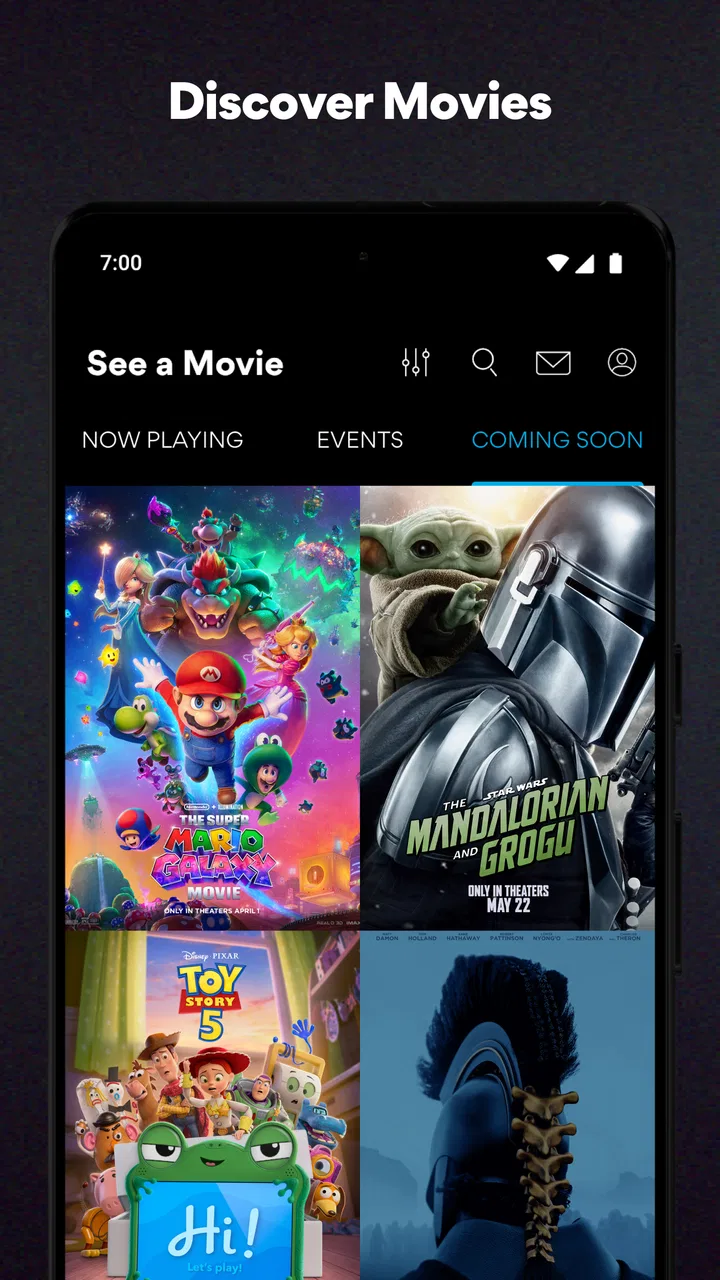
The first thing I noticed is that the app makes more sense when I treat it as a complete visit planner. Looking only for a trailer or a quick film synopsis is not where it feels strongest. The useful path is choosing a cinema, checking available times, selecting seats when the booking flow presents that option, and then considering food or rewards before finishing. That sequence keeps the app connected to the real-world trip instead of making it feel like a general movie database.
You May Also Like

 Google Keep - Notes and lists
Google Keep’s Quiet Growth Shows the Appeal of Simpler Notes
As mobile work gets busier, Google Keep keeps winning a simple contest: capture a thought quickly, find it later, and get on with the day.

 Blood Strike: 2.5 Anniversary
Blood Strike’s Loadouts Turn Every Drop Into a Tactical Gamble
A close look at Blood Strike’s custom loadouts: how fast access to signature weapons reshapes its battle royale rhythm, rewards preparation, and narrows the gap between fights.

 Pandora - Music & Podcasts
Pandora’s Music Is Easy to Start, but Harder to Recover
Pandora’s strength is its low-effort path from a seed to a station. Its weak spot is how much confidence it asks you to place in connection, setup, and quiet recovery.

 8 Ball Pool
 Is Built on Rivalries, Rematches, and Routine
A close look at the rivalries, rematches, shared routines, and unanswered safety questions that turn a quick pool match into a persistent mobile community.

 Samsung Music
’s Quiet Strength Is Playing What You Already Own
Its reach comes less from spectacle than from dependable access to a personal library. That simplicity is both the app’s strongest retention engine and its ceiling.

 AccuWeather: Weather Radar
AccuWeather Review: A Quick, Clear Forecast for Everyday Decisions
For everyday plans, the best forecast is the one you can understand quickly. AccuWeather makes rain timing, radar, and local conditions easy to act on, with a few trade-offs.
More From Our News Desk



Its popularity is easy to understand. The app has an average rating of 4.8 from roughly 301 thousand ratings, with more than 5 million installs. I would not take those figures as proof that every screen works perfectly for every person, but they do show that AMC’s mobile experience has become familiar to a substantial audience. The developer’s own ecosystem is the central advantage: when I am visiting an AMC location, I do not have to translate information from a third-party listing into a purchase on another service.
A realistic example is a Friday afternoon when I am arranging a movie for two people after work. I can check the evening schedule before leaving, compare nearby times, and make the decision while I still have time to adjust plans. If I wait until arriving at the theater, I may face fewer seats together or a longer food line. The app is most valuable in that small gap between deciding to go and walking through the entrance.
Where the single-app approach helps
Combining times, tickets, food, and rewards is more useful than the short summary might suggest. Each part affects the others. A showtime is not just a time if the available seats are poor. A ticket is not the whole visit if I want to arrange concessions in advance. Rewards are easier to remember when they appear in the same place where I am already buying a ticket. I appreciate that the app encourages me to think through the whole outing rather than treating ticket purchase as an isolated task.
There is also a practical benefit to checking details before reaching the theater. I can make choices privately, without holding up people behind me or trying to read small menu boards from a distance. For anyone who dislikes making decisions under pressure, that preparation is a genuine strength. It is especially helpful for a group, where a few minutes spent comparing sessions can prevent an argument at the counter.
Still, the convenience depends on being an AMC customer. If I usually visit independent cinemas, compare several theater chains, or want one neutral search across every local venue, a general movie-ticket service may be a better starting point. AMC’s app is specialized by design, and that specialization is both its clearest benefit and its main boundary.
Trust begins with knowing what the app is for
I find the app easier to judge when I separate its purpose from assumptions about mobile software. It is an entertainment app, but it is also connected to purchases, accounts, rewards, and cinema visits. That means I pay more attention to every screen that asks me to sign in, enter booking details, or continue toward payment. A polished interface is useful, but it should not replace careful reading when personal or transaction-related information is involved.
The presence of AMC Theatres as the developer gives the app a clear identity. I know why it needs to connect the experience to AMC locations, showtimes, tickets, food, and rewards. That context is more reassuring than an unclear third-party application pretending to represent a cinema brand. At the same time, brand recognition is not a reason to tap through every prompt automatically. I still prefer to understand which action I am approving and whether it is necessary for the task I am trying to complete.
The Teen content rating also sets a useful expectation. This is not presented as a children’s-only application, and I would be comfortable treating it as a household planning tool for older teenagers and adults, while still expecting the person making a purchase to review the details carefully. The rating does not answer questions about account privacy or payment handling, so I would not use it as a substitute for checking the app’s own visible choices.
Account controls and moments that deserve attention
The most data-sensitive moments are easy to identify: creating or using an account, buying tickets, managing rewards, and arranging food. These actions are different from simply browsing a film schedule. When I am only checking times, I prefer to remain in that low-commitment part of the experience. When I move toward checkout, I slow down and verify the cinema, date, time, seats, and order before confirming.
That habit is particularly important when plans change. A ticket purchase is not the same as a casual reservation, and the practical consequences of changing an order can depend on the details shown during the transaction. I would read the cancellation, exchange, or modification information presented at the relevant point instead of assuming that every booking can be changed in the same way. This is one of the places where a few extra seconds of attention can prevent frustration later.
Rewards deserve similar care. I like having them near the ticket workflow because it reduces the chance that I forget to use or review them. However, I would check the account screen rather than rely on memory about eligibility, balances, or redemption conditions. A rewards feature is only convenient when I can see what is available and understand when it applies. If the app presents a choice, I would rather make it deliberately than discover after payment that I selected the wrong option.
Food ordering can also change the rhythm of a visit. It may save time, but it adds another decision layer to the booking process. I would compare the pickup instructions and timing shown in the app with my actual arrival plan. Ordering too early could be inconvenient if my schedule changes, while ordering too late may remove the benefit of preparation. The best use is to treat food as part of the itinerary, not as an automatic add-on.
How I handle permissions and visible choices
I do not grant a permission simply because an app requests it. With this app, I would look at the wording and purpose of each prompt when it appears, then allow only what supports the task I want to perform. If I am browsing showtimes, I would first see whether I can choose a theater manually. If a location-related choice appears, I would consider whether using it is more convenient than entering a cinema myself.
That distinction gives me more control. Manual selection is slower, but it avoids sharing a location for a task I can complete another way. Location-based convenience can be worthwhile when I am traveling or searching from an unfamiliar area, yet it should remain a choice rather than an automatic reflex. I also prefer to revisit device permissions later if I no longer use a feature that depended on them.
Notifications are another area where I favor restraint. Reminders about a booking may be useful, but promotional messages are not equally valuable to everyone. If notification controls are offered, I would separate practical updates from general marketing where the interface allows it. I would also check the operating system’s notification settings, because that is the clearest place to reduce interruptions if the app becomes too talkative.
The same principle applies to account access. I would use the account area for rewards and purchase history when those features justify it, but I would avoid creating extra profiles or entering information that is not needed for my immediate purpose. If I share a device with family members, I would be especially careful about leaving an account signed in, since a future user might otherwise see booking or rewards details or start a transaction under the wrong profile.
Small workflows that make the experience better
My first useful habit is to choose the theater before comparing times. Searching broadly can create unnecessary scrolling, especially when several locations are nearby. Once I know where I am actually willing to go, the schedule becomes easier to judge and the later ticket steps are less prone to mistakes. This is a simple change, but it prevents the common problem of selecting a convenient time at a cinema that is inconvenient to reach.
My second habit is to review the entire order immediately before payment, even when I am booking for a film I know well. I check the location, date, session, seat arrangement, and any food selection as one final pass. This catches errors caused by switching between options, and it is more reliable than assuming the last screen reflects what I intended several taps earlier.
A third useful approach is to open the app before leaving home when the visit has a fixed start time. I can make the important decisions while I have a stable connection and enough time to reconsider. At the theater, I then use the app as a reference rather than trying to complete every step in a crowded lobby. That workflow also reduces the temptation to approve prompts quickly because other people are waiting.
For groups, I would nominate one person to manage the booking and ask everyone else to confirm the essentials before checkout. This avoids duplicate purchases and keeps rewards or food decisions from being scattered across several phones. The app is convenient for coordination, but convenience can turn into confusion when multiple people independently select different sessions or seats.
One trade-off is that the app’s focused design may feel limiting if I am still deciding which chain to visit. A broad movie app can be better for comparing venues, while AMC’s app becomes more useful after I have chosen AMC. I would use the general service for discovery across cinemas and this app for the final AMC-specific planning when that division saves time.
Everyday friction I would plan around
No booking app removes the uncertainty of real-world cinema plans. Showtimes can be unsuitable, seats can disappear while I am deciding, and a change in my schedule can make a carefully prepared order less convenient. I would not blame the app for every inconvenience, but I would recognize that digital control has limits once a transaction is involved.
The app can also feel like more than I need when my only goal is to check whether a film is playing. If I am already near a theater and do not need food, rewards, or advance tickets, opening a full account-centered experience may be unnecessary. In that situation, a quick web search or the cinema’s visible schedule could be faster. The app earns its place when I expect to use several of its connected functions.
Another limitation is concentration. Tickets, food, and rewards in one flow are convenient, but they also create more opportunities to overlook a detail. I recommend treating each stage as a separate decision: first the film and time, then seats, then optional extras, then payment. That slower rhythm is less exciting than tapping quickly, but it gives me a clearer sense of what I am actually buying.
People who are highly cautious about accounts or mobile payments may prefer to use the app only for browsing and complete purchases through a method they already trust. Others may value the convenience enough to use the full workflow. Neither choice is inherently better; it depends on how much control, speed, and consolidation the person wants from a cinema app.
Who should use it and who should skip it
I would recommend it to regular AMC visitors, families arranging seats in advance, couples comparing evening sessions, and anyone who likes keeping tickets, food planning, and rewards together. It is also a good fit for people who dislike waiting at the theater to make decisions. The free price removes the need to justify a subscription simply to try the basic planning experience.
I would be more hesitant to recommend it to someone who rarely visits AMC, wants a complete cross-chain comparison, or prefers not to create an account for occasional browsing. A third-party cinema guide may offer a wider view, and direct in-person purchasing may be simpler for a person who does not want mobile account management. The right choice depends less on the app’s feature count than on whether AMC is already part of the user’s movie routine.
Device compatibility is another practical consideration. Android users need version 8.0 or later, so anyone using an older phone should check that requirement before planning around the app. On a supported device, I would still keep the operating system and application updated through normal trusted channels, especially because ticketing and account flows benefit from current software. The app’s current version, 7.0.134, is the one I would expect to see when using the latest available release for a compatible device.
My cautious verdict after weighing convenience and control
AMC Theatres: Movies & More succeeds because it stays close to a real cinema visit. It is not trying to replace every movie service; it gives AMC customers a direct way to move from schedule checking to tickets, food, and rewards. I find that focused purpose more valuable than a broad collection of unrelated entertainment tools.
My trust in the experience comes from visible context and deliberate use, not from assuming that a familiar brand makes every choice harmless. I would review prompts, limit permissions to what I need, check account and notification controls, and slow down at checkout. Those habits make the app easier to use responsibly and reduce the chance of turning convenience into an accidental purchase or unwanted interruption.
The strongest reason to install it is clear: if I frequently attend AMC theaters, the app can make planning faster and more organized. The strongest reason to skip it is equally clear: if I want neutral comparison across many cinemas or only need occasional showtime information, a broader alternative may fit better. For the right user, I would recommend AMC Theatres: Movies & More as a useful, focused tool, provided that the final booking and account choices are made with attention rather than rushed through.
Overall, I see it as a sensible free companion for AMC customers who value preparation. I would use it before a planned outing, especially when seats, timing, or food matter, and I would keep the transaction review step as part of my routine. That balance gives me the convenience the app promises while preserving the user agency I want from any application connected to purchases and personal accounts.
FAQs for AMC Theatres: Movies & More
01What features does the AMC Theatres app offer?
The AMC Theatres app provides a comprehensive experience for movie enthusiasts. Users can browse showtimes, purchase tickets, and reserve seats. It also offers exclusive rewards through the AMC Stubs program, allowing members to earn points, enjoy free upgrades, and access special discounts. Additionally, the app provides trailers, movie synopses, and personalized recommendations.
02Is the AMC Theatres app available for both Android and iOS devices?
Yes, the AMC Theatres app is available for both Android and iOS platforms. This ensures a seamless experience regardless of your device. Simply visit the Google Play Store or the Apple App Store to download the app and start enjoying the convenience of managing your movie-going experience directly from your smartphone.
03What is the AMC Stubs program, and how does it work with the app?
The AMC Stubs program is a loyalty initiative that rewards frequent moviegoers. Through the app, members can track their points, redeem rewards, and receive exclusive offers. The program has different tiers, including Stubs Insider and Stubs A-List, each offering unique benefits such as discounted tickets and priority access to screenings.
04How can I purchase and manage movie tickets using the app?
Purchasing and managing movie tickets is straightforward with the AMC Theatres app. After selecting your desired movie and showtime, you can choose seats and pay securely through the app. Tickets are stored digitally within the app, allowing you to easily access and present them at the theater without needing a physical copy.
05Are there any additional costs or subscriptions required to use the AMC Theatres app?
Downloading and using the basic features of the AMC Theatres app is free. However, participation in the AMC Stubs program may involve monthly fees, particularly for the A-List tier. These fees grant access to premium benefits, including multiple movies per week and no online ticket fees, which enhance the overall movie-going experience.
Pros
- User-friendly interface for easy navigation.
- Offers exclusive deals and discounts.
- Ticket purchase and seat selection in-app.
- AMC Stubs rewards integration is seamless.
- Real-time updates on showtimes and availability.
Cons
- Occasional app crashes reported by users.
- Slow loading times during peak hours.
- Limited payment options for ticket purchase.
- Requires account creation to access features.
- Some features need internet connection.

AMC Theatres: Movies & More
Gallery